Guest List
The Guest List report allows users to view data about the guests. As a property manager, users can reference the list in case of an emergency or to confirm VIP guests.
Perform the following steps to generate the report:
Navigate to Reports ➜ All Reports ➜ Guest List (under Manager).

Select the date range to generate the report.
Click Generate. The report with the selected data appears.
Click Print to send a copy of the report to the printer.
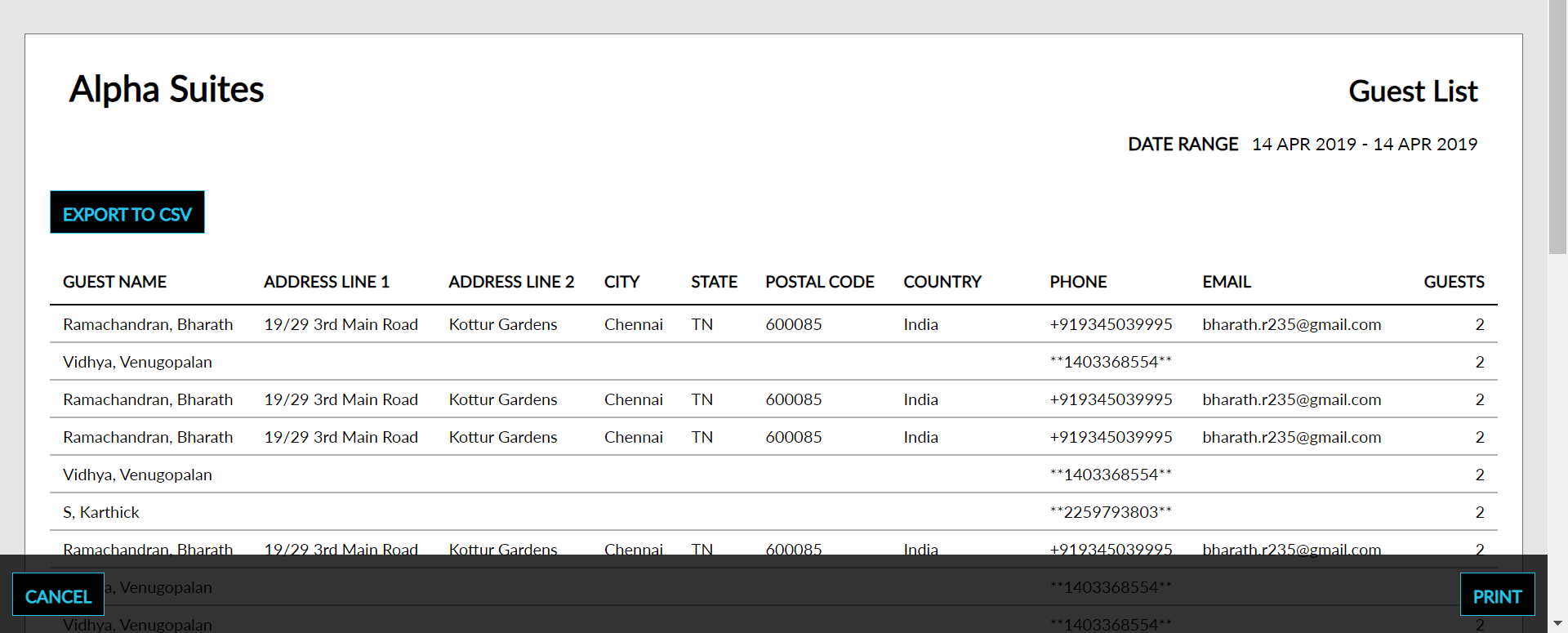
Sample Report
Report Parameters
This report displays the following parameters:
|
Field |
Description |
|---|---|
|
Guest Name |
The name of the main guest for each reservation. |
|
Address Line 1 |
The residential address of the main guest. |
|
Address Line 2 |
The residential address of the main guest. |
|
City |
The city of residence of the main guest. |
|
State |
The state name of the permanent residence of the main guest. |
|
Postal Code |
The zip postal code of the main guest. |
|
Country |
The country of origin of the main guest. |
|
Phone |
The phone number of the main guest. |
|
|
The email address of the main guest. |
|
Guests |
The number of guests accompanied with the main guest. |